End-to-end encrypted by default
New family groups are encrypted on the phone before anything uploads. Clann’s servers store the photos but cannot open them.
How the encryption works12 real screens, captured from the Clann iPhone app with an illustrated family. Tap through the timeline, photos, sharing, albums, search, the grandparent-friendly Simple view, and the controls admins have.
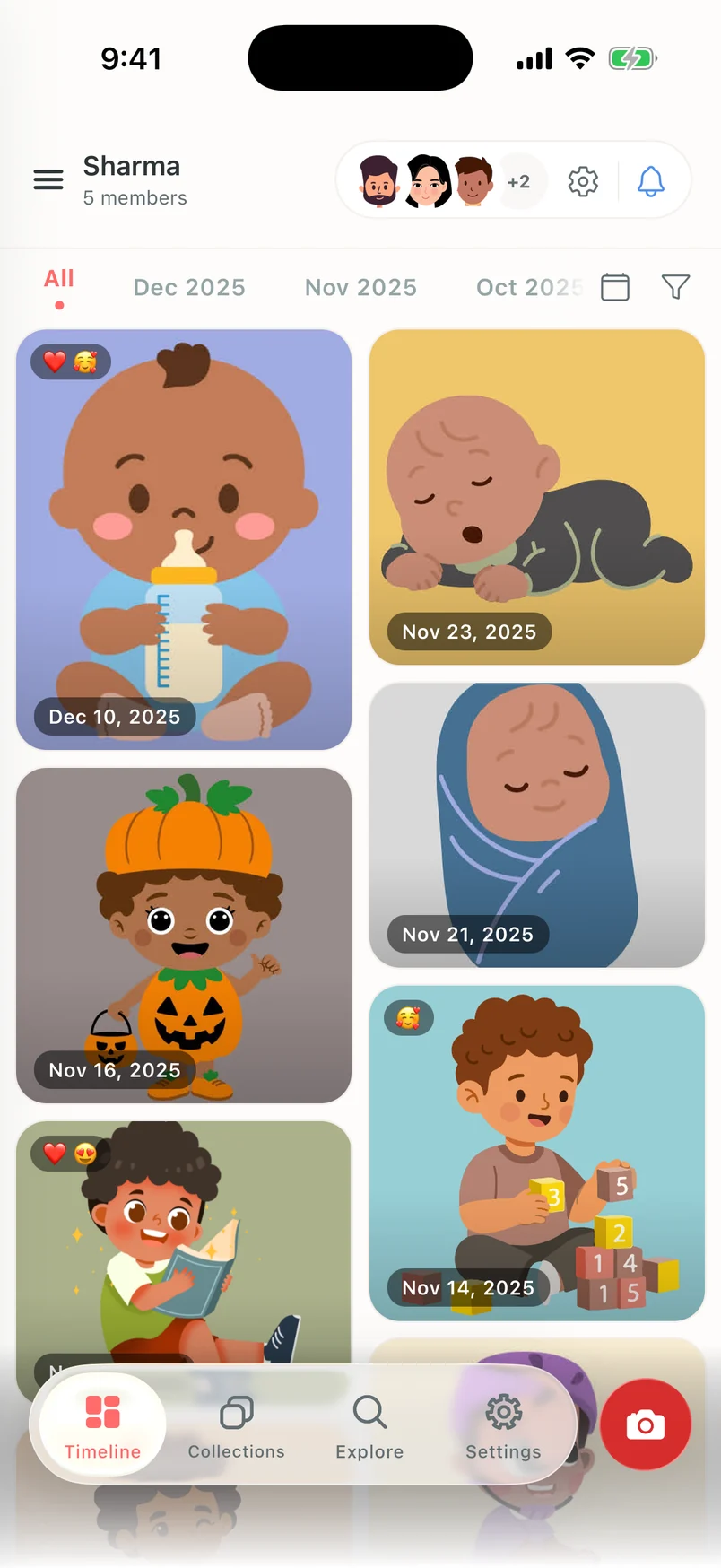
Screen 1 of 12: Family timeline. One timeline for the whole family.
Clann opens on a shared family timeline. Photos sit in the order they were taken, with month shortcuts along the top and reactions shown on the photos themselves.
Tap a detail, or the numbered dots on the screen.
New family groups are encrypted on the phone before anything uploads. Clann’s servers store the photos but cannot open them.
How the encryption worksSimple view strips the app back to Photos and Settings with bigger labels. Relatives who will not install an app at all can view the album in a browser, with no account.
Sharing with grandparentsInvite-only groups, no public feed, no ads on your photos, and your family’s photos are never used to train AI models.
Every feature, explainedUnedited screenshots of Clann on iPhone, using an illustrated family album. Open any screen at full resolution.
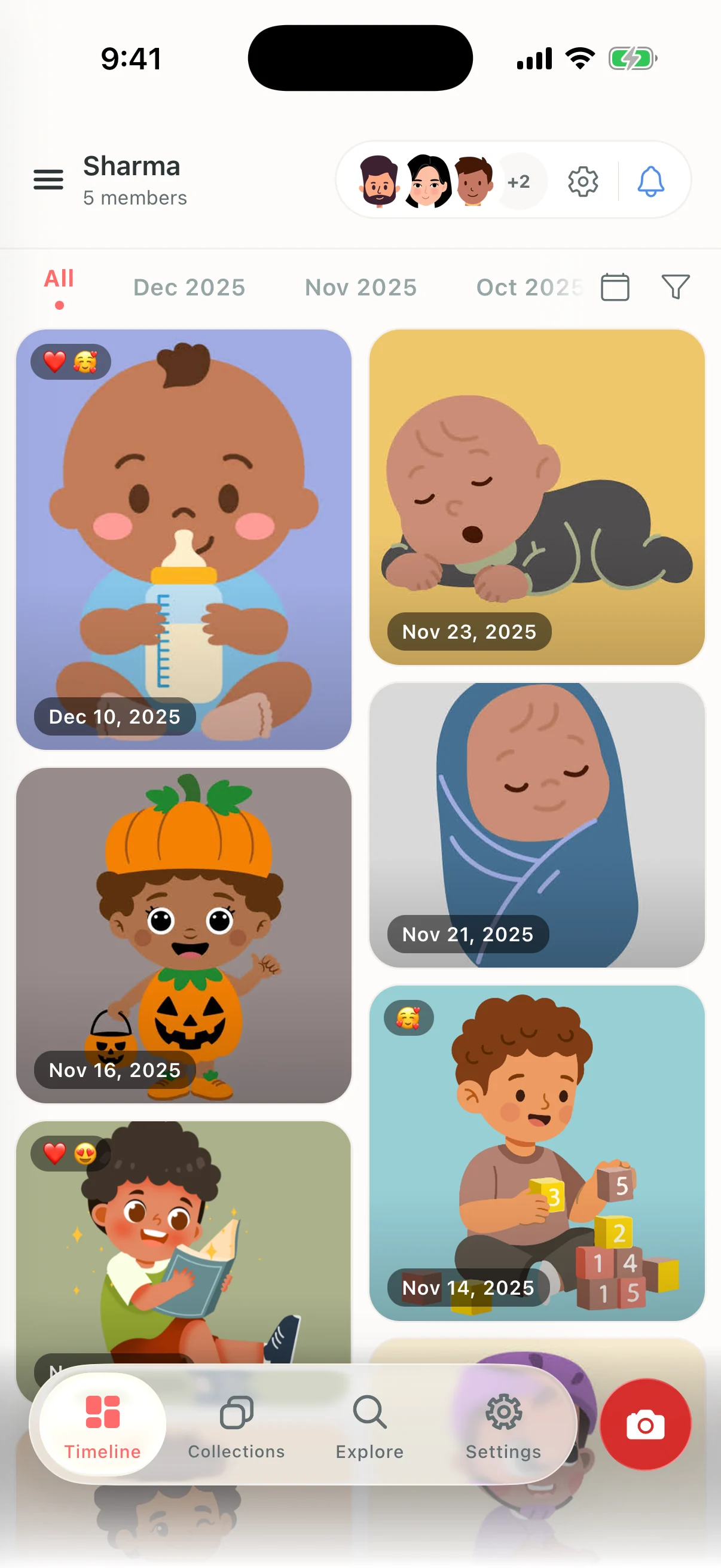
Clann opens on a shared family timeline. Photos sit in the order they were taken, with month shortcuts along the top and reactions shown on the photos themselves.
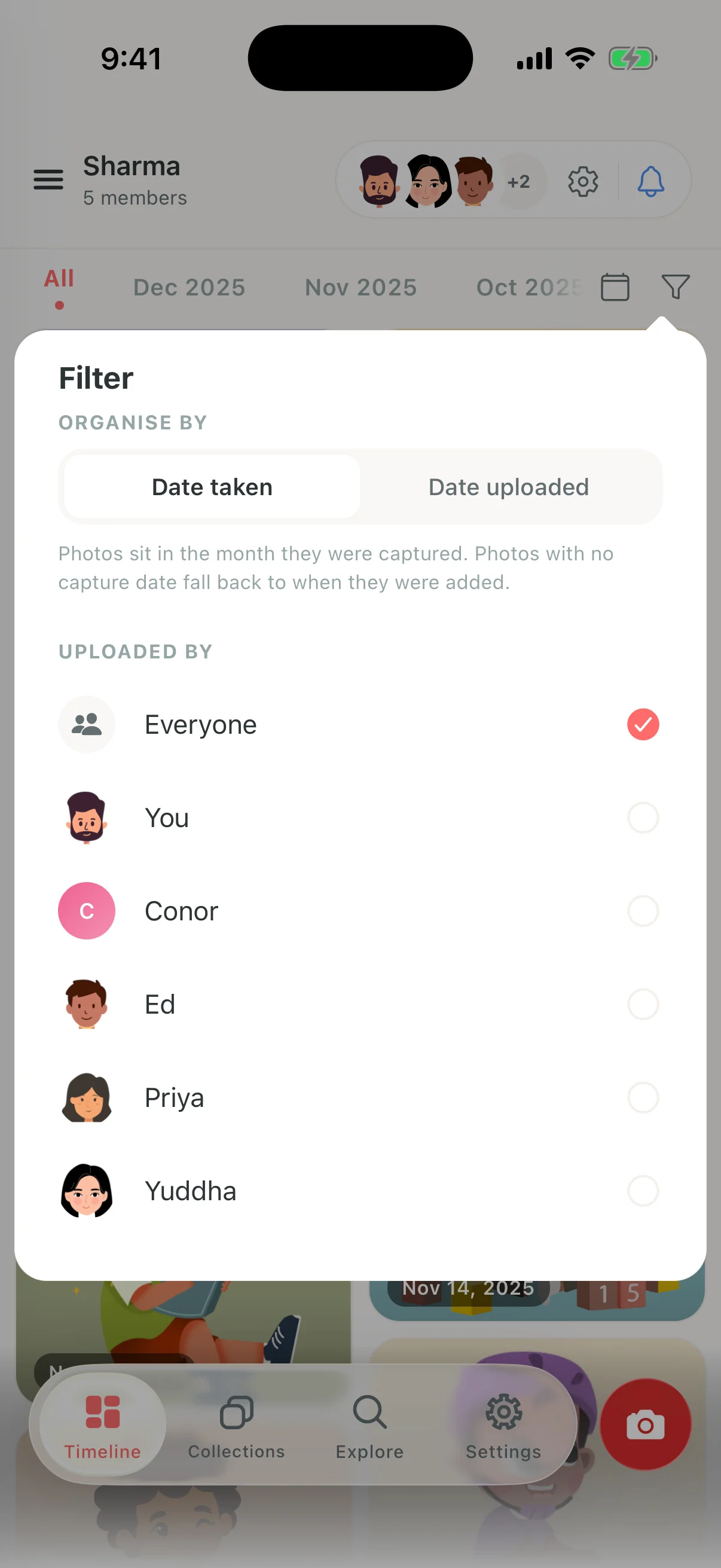
Filter the family timeline by who uploaded a photo, and order it by the date it was taken or the date it was added.
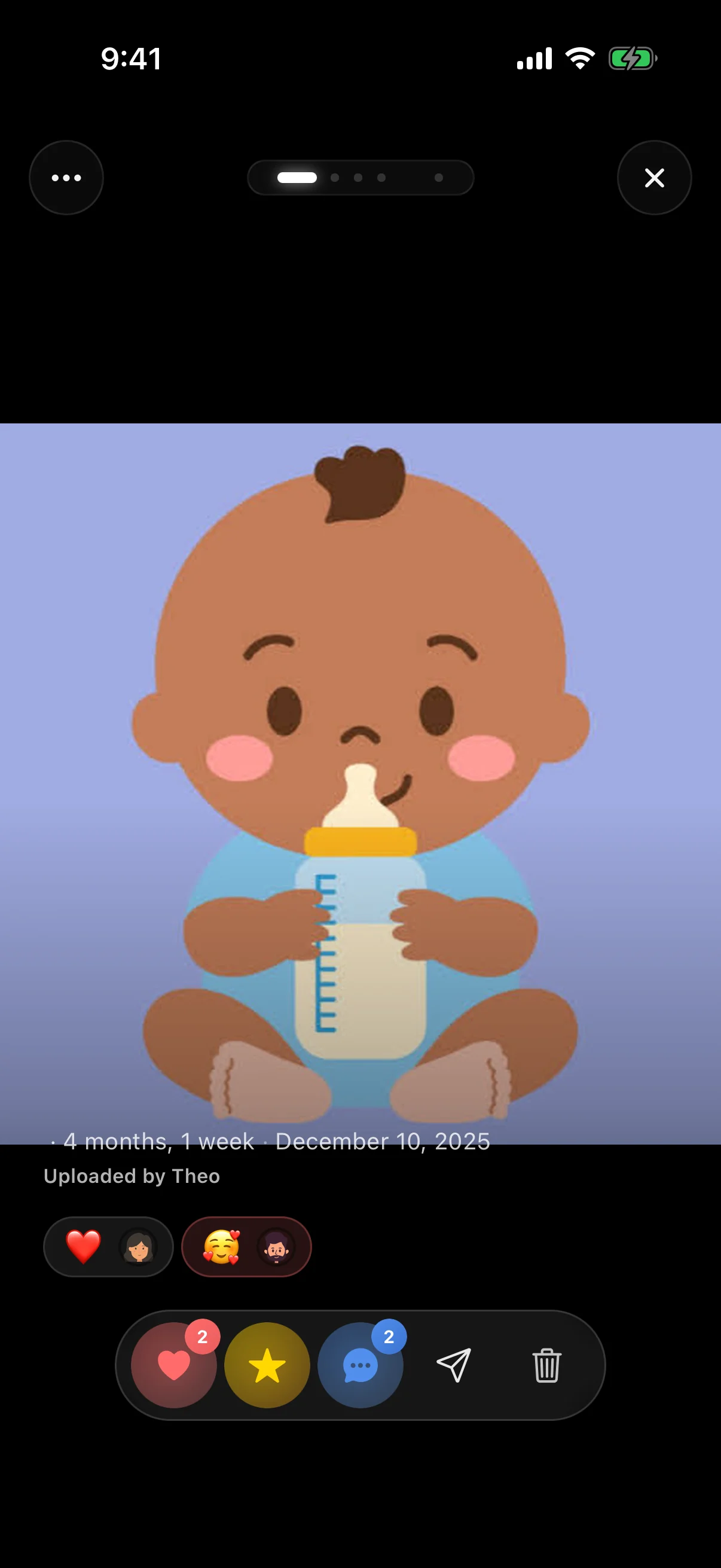
Open a photo to see it full screen with the date, the child’s age at the time, who shared it, reactions, favourites and comments.
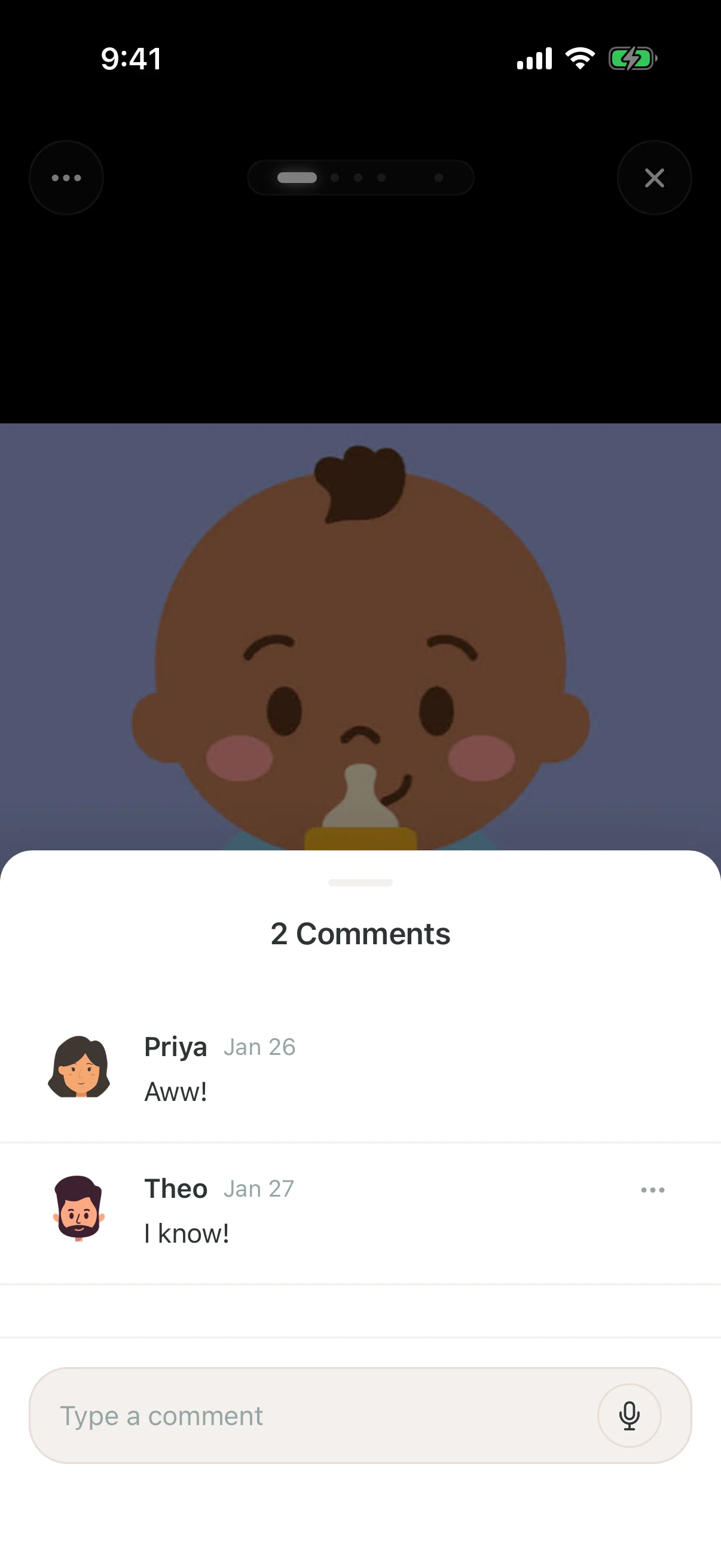
Comments open in a sheet over the photo, so the family’s conversation stays attached to the moment it is about.
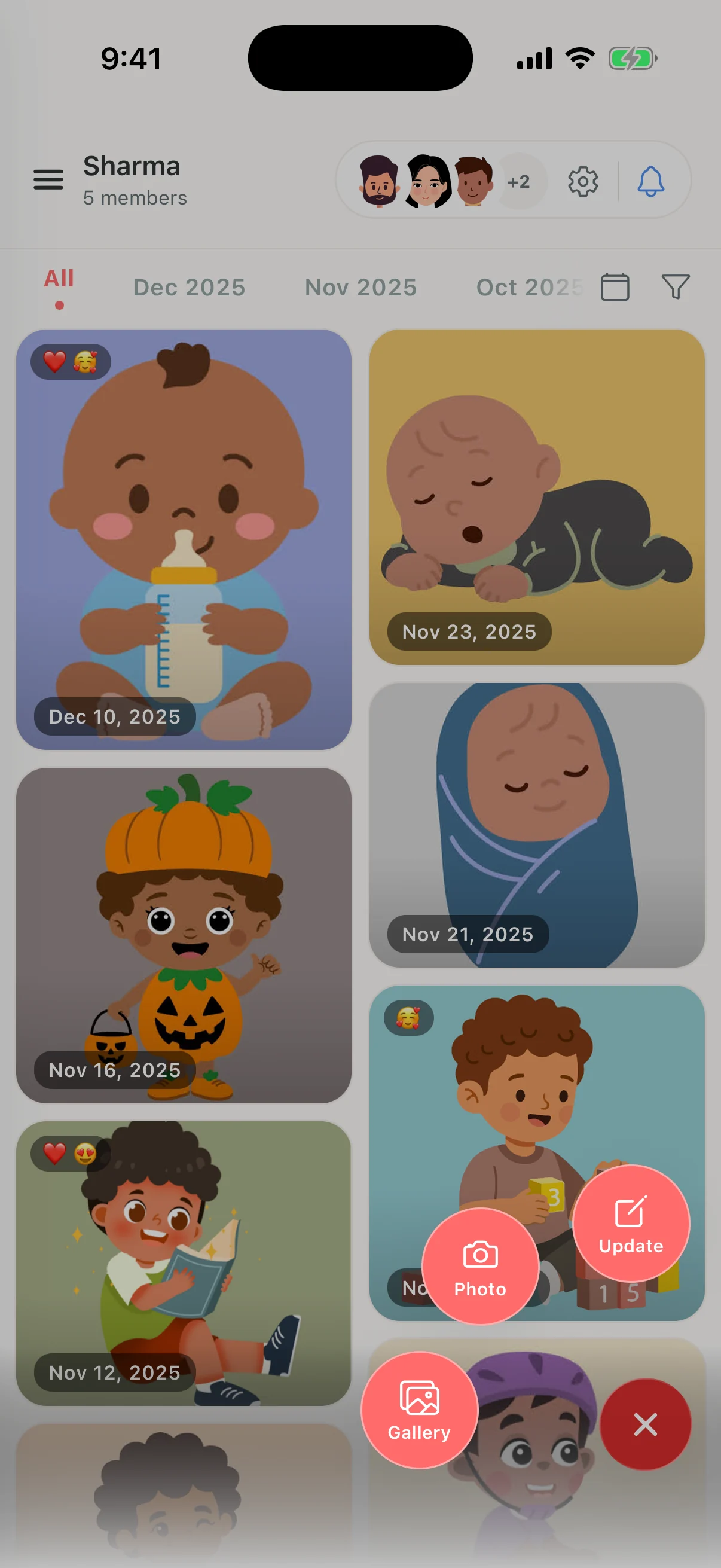
The camera button opens three quick actions: take a photo, pick from your gallery, or write an update for the family.
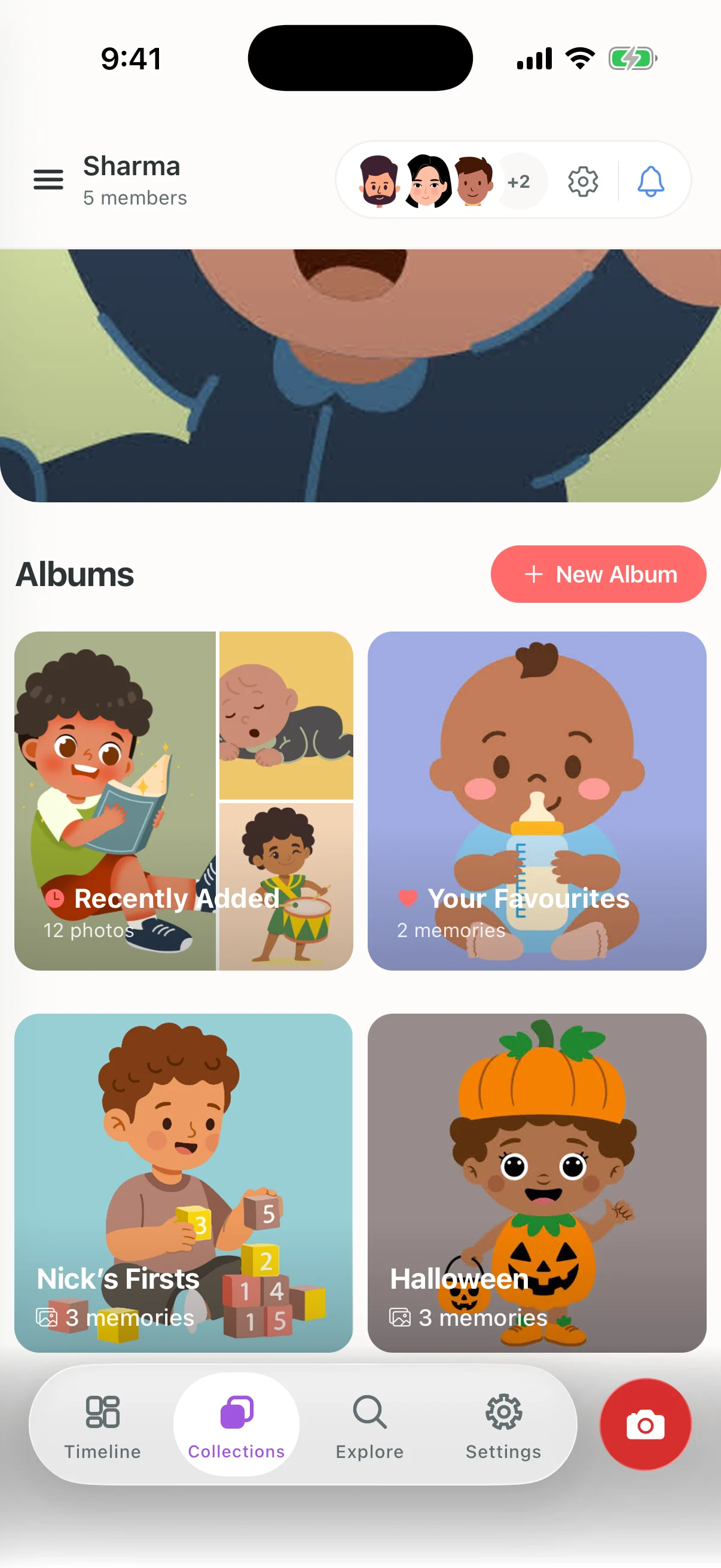
Collections keeps Recently Added, Your Favourites and the albums you have made in one place, with a rotating memory at the top.
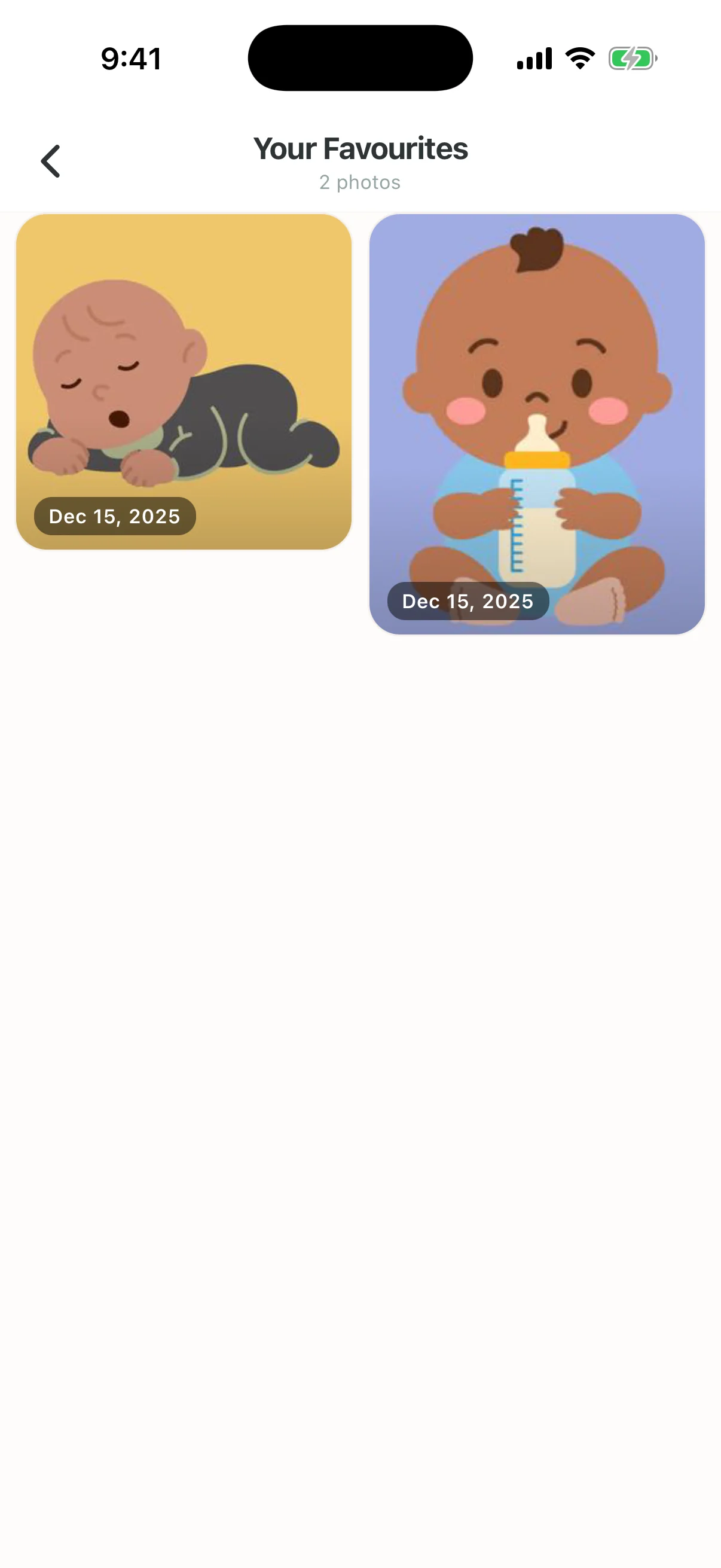
Your Favourites collects the photos you have starred into a simple grid.
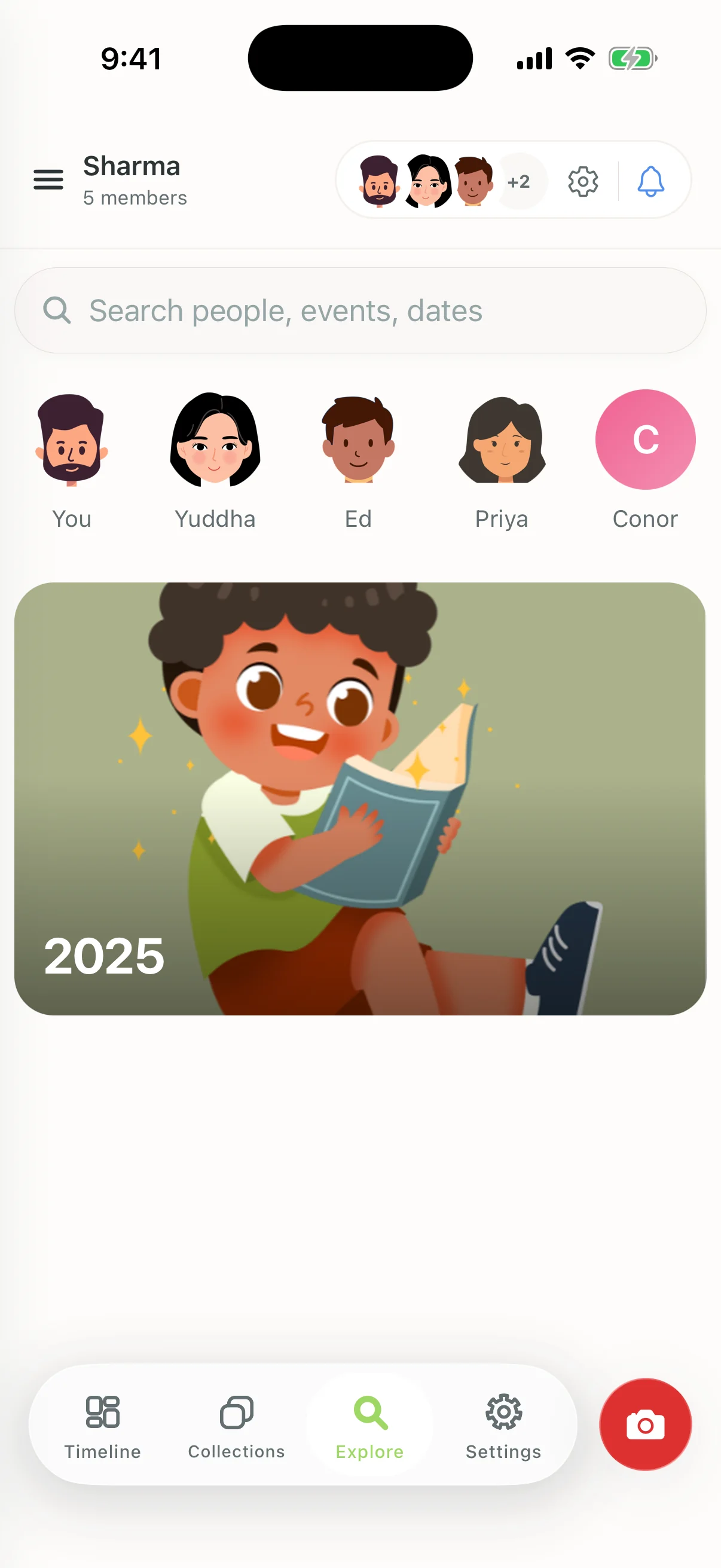
Explore brings together search, a shortcut for each family member and year collections, so you can find a photo by who is in it, what was happening or when.
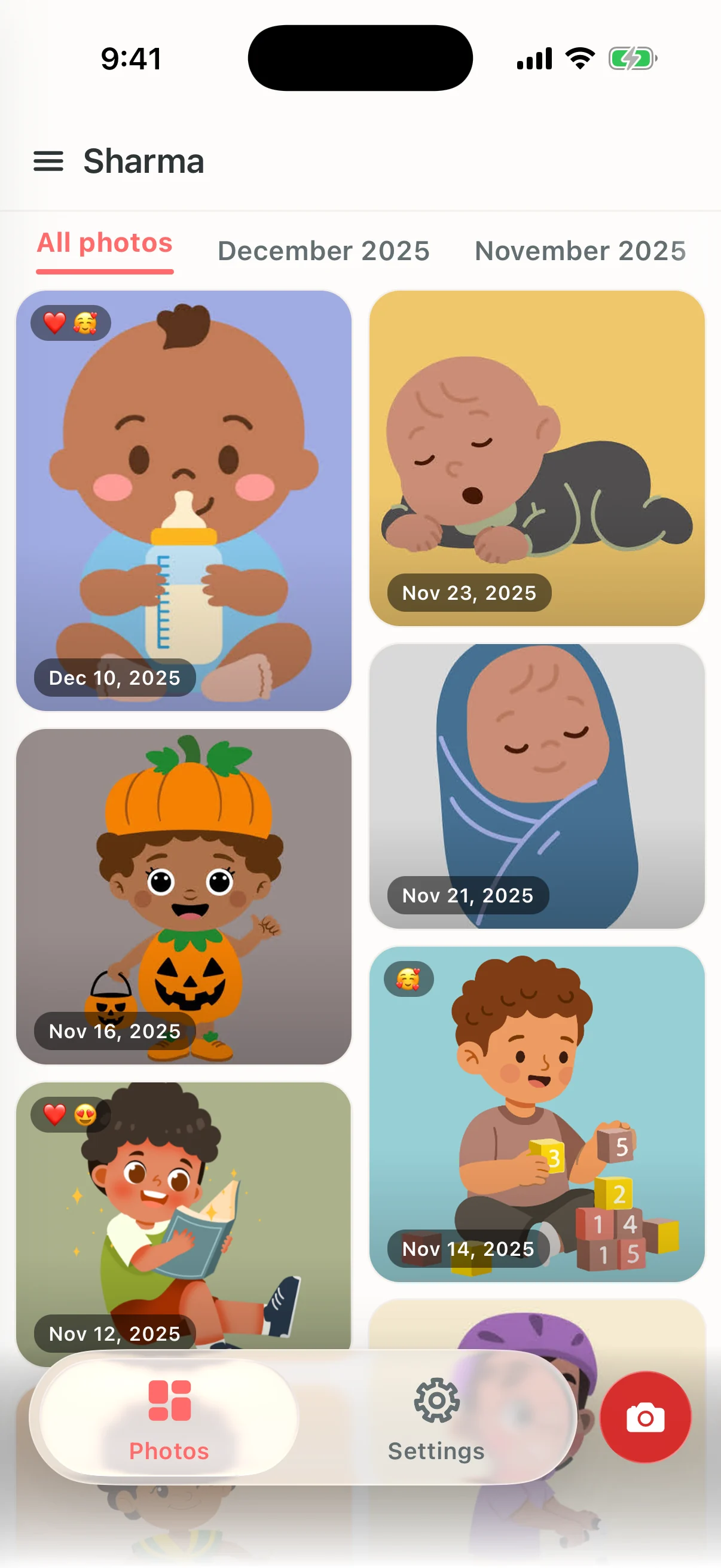
Simple view is an optional, stripped-back version of Clann for relatives who only want to look at photos, like grandparents. Albums, search and account settings are removed rather than greyed out, leaving Photos and Settings. It can be turned on or off at any time from Settings.
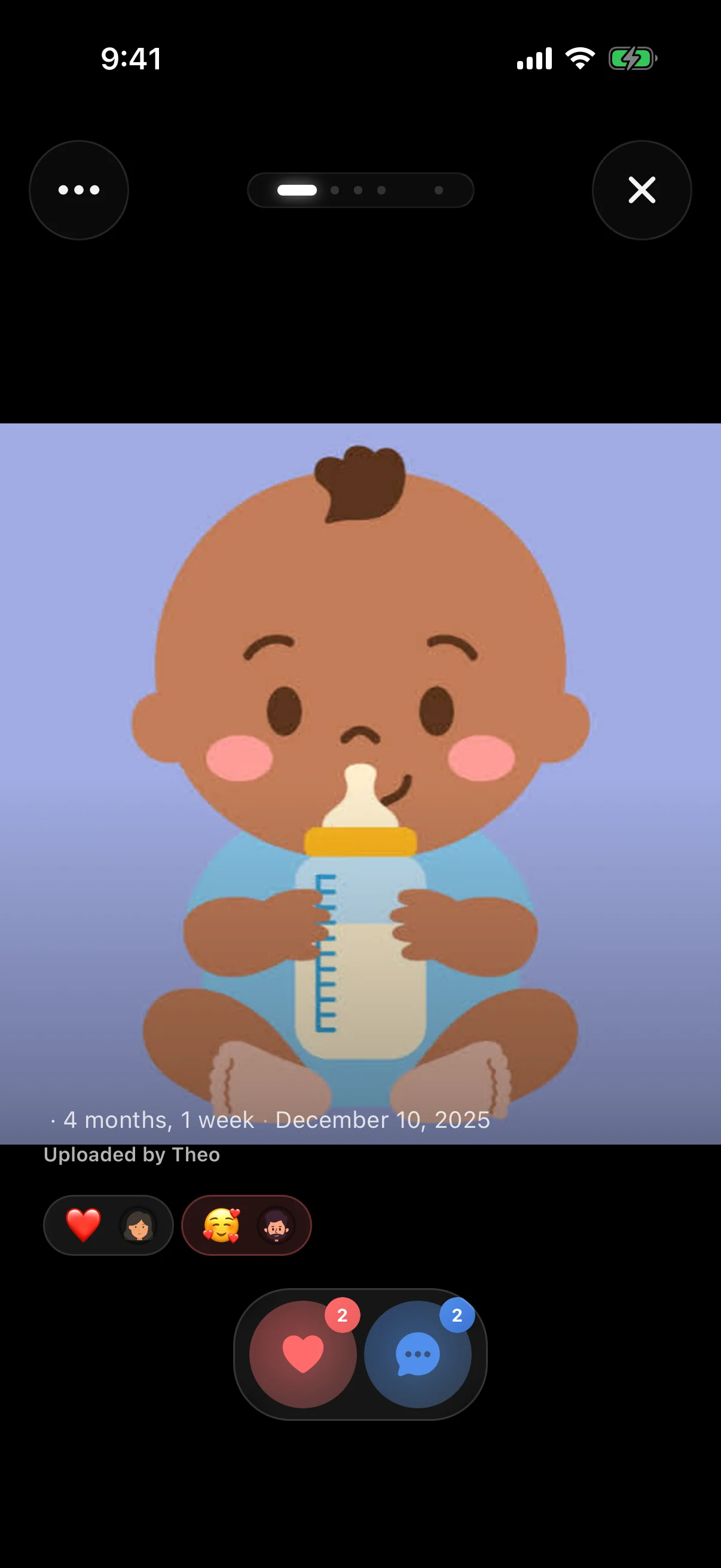
In Simple view a photo opens with two actions, react and comment, alongside the date, the child’s age and who shared it. Sharing, favourites and the other controls are hidden.
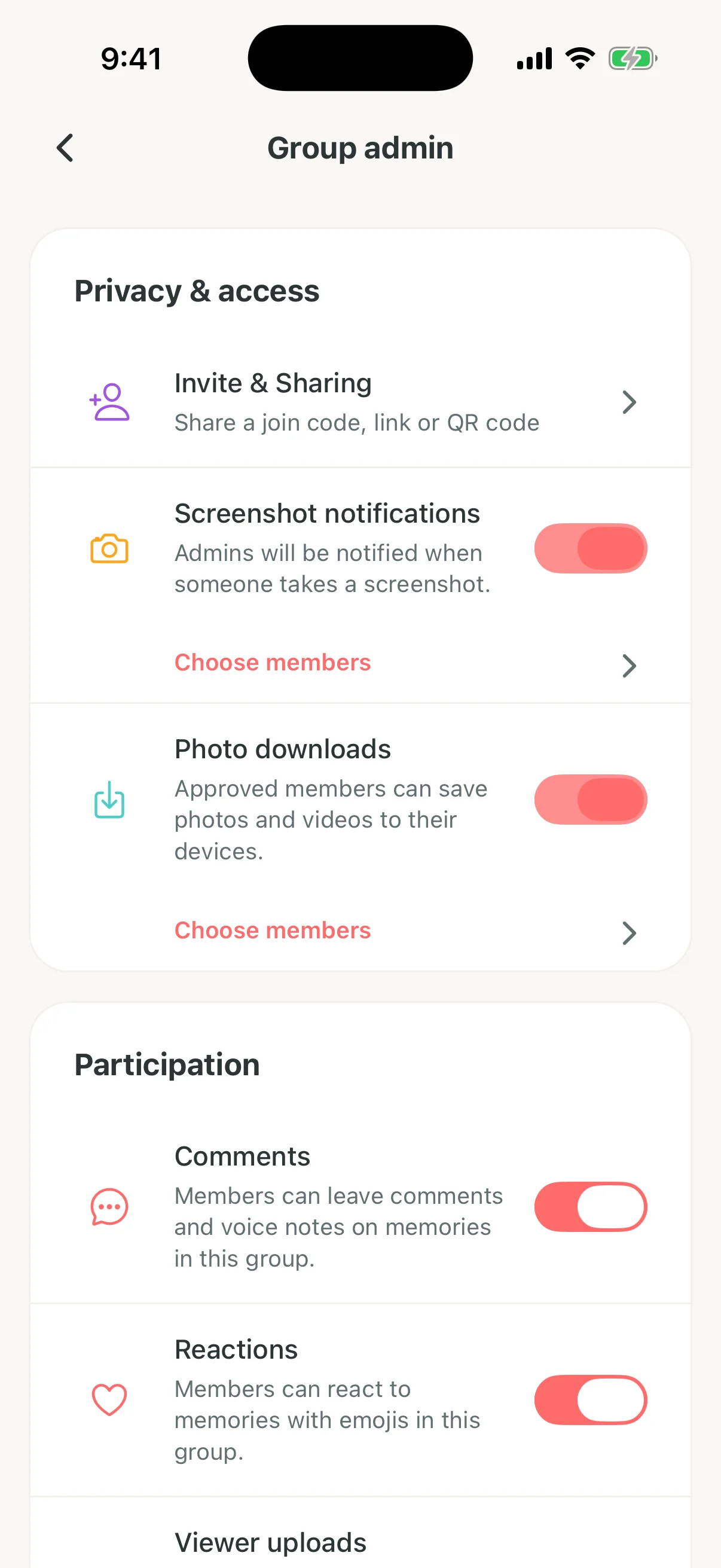
Group admins control invites, screenshot notifications, photo downloads, comments and reactions from one settings screen.
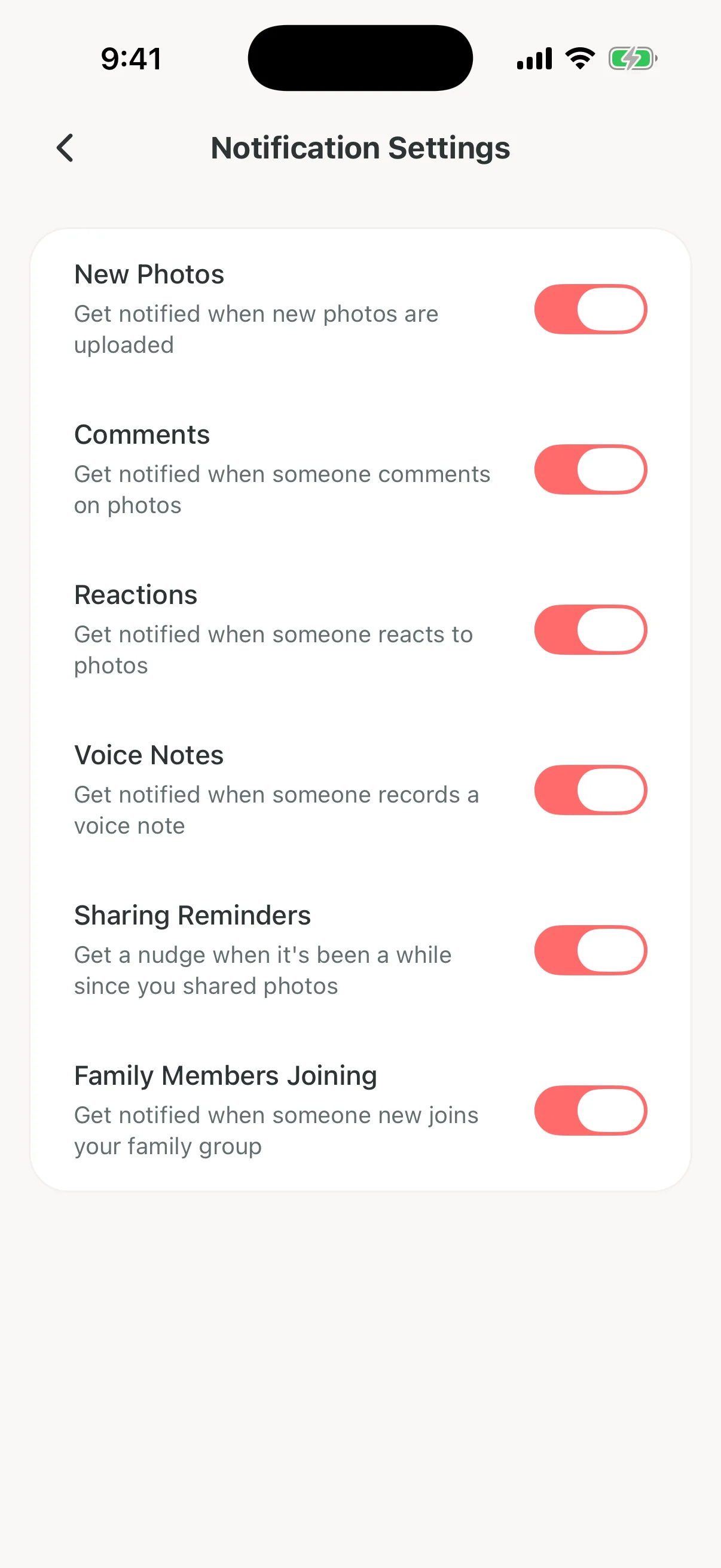
Each kind of update has its own switch, from new photos, comments and reactions to sharing reminders and new family members joining.
Captured from Clann for iPhone between and , using an illustrated family, not a real one. Layouts can vary by device and app version.
Download Clann on iPhone or Android and start a 7-day free trial. After the trial a subscription is required, and one subscription covers the whole family.